 ChatGPT
 Claude
 Grok
Grok Perplexity
 Gemini
|
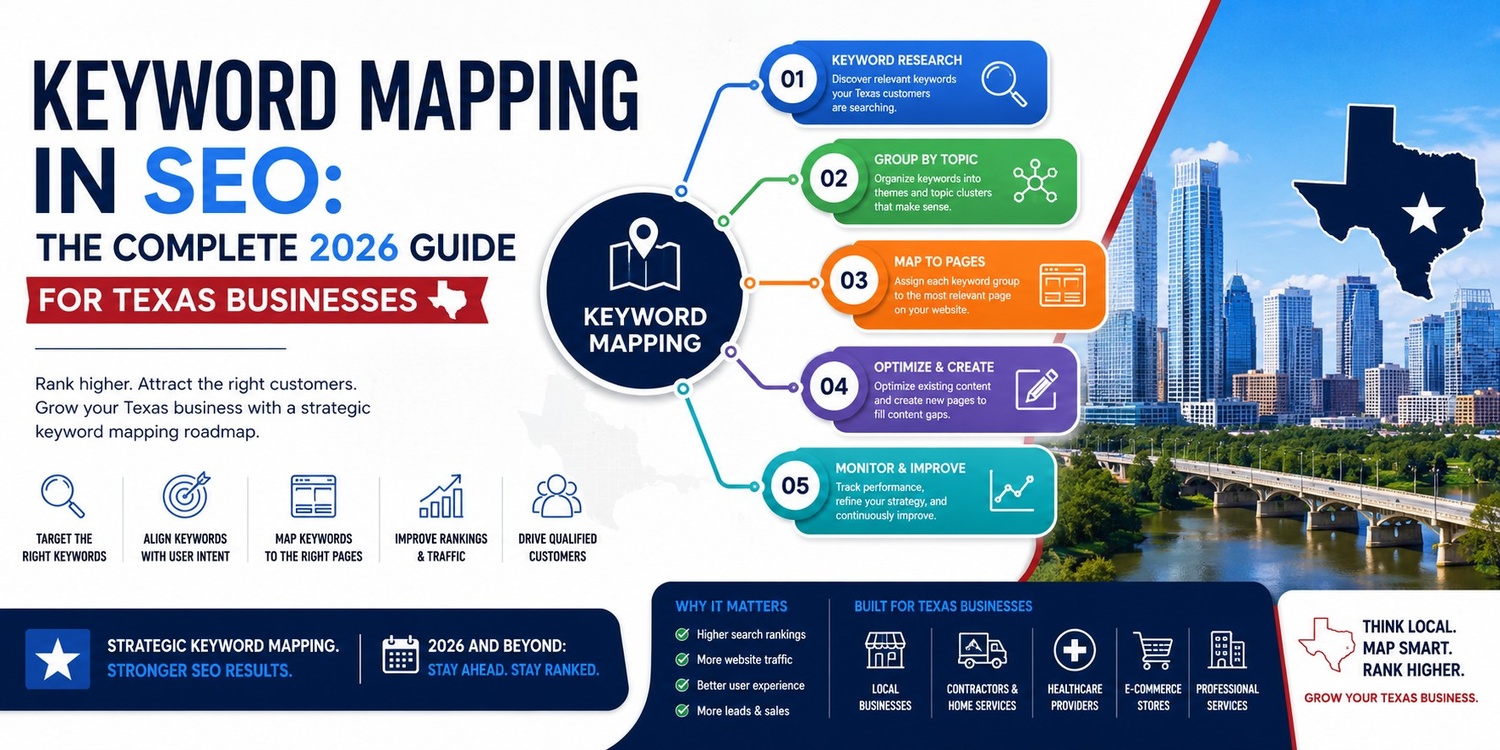
Keyword mapping in SEO is the process of assigning one primary keyword to each page on a website so that every page has a clear, unique topic to rank for. It prevents two pages from competing for the same keyword , a problem called keyword cannibalization, and gives search engines a clear signal about what each URL covers. |
You have a website. You write blog posts. Google still ignores you. Most people blame their writing, their backlinks, or their site speed. But here is the real problem: they never told Google which page covers which topic. Keyword mapping fixes that. It is the invisible system that turns a random pile of blog posts into a structured, rankable website.
The Dinner Party Analogy
Think of keyword mapping like seating at a dinner party. Every guest (keyword) gets exactly one seat (page). No two guests share a chair. No chair sits empty. Everyone knows where they belong. Without that plan, your pages fight each other. Google gets confused. You rank for nothing.
Keyword Mapping vs Keyword Research: What Is the Difference?
|
Factor |
Keyword Research |
Keyword Mapping |
|
What it is |
Finding keywords people search for |
Assigning those keywords to specific pages |
|
When you do it |
Before you create content |
After research, before or after writing |
|
Main tool |
Ahrefs, Semrush, Ubersuggest |
Google Sheets, keyword map template |
|
Output |
A list of keywords |
A map: keyword → URL |
|
Common mistake |
Stopping here |
Skipping this step entirely |
Keyword research comes first. Keyword mapping comes second. You need both — but mapping is the step most people skip, and it is the step that makes everything else work.
How Do You Explain Keyword Mapping to a Non-SEO?
|
Keyword mapping means giving every page on your website one clear job: rank for one specific search. It is like labelling every folder in a filing cabinet. Without labels, everything is a mess. With labels, anyone - including Google - can find exactly what they need. |
2. Is Keyword Mapping Still Relevant With AI Search?
|
Yes. Keyword mapping is more important than ever in 2026. AI Overviews now appear in ~45% of Google searches. AI systems cite pages with clear structure and unique topics far more often than unfocused pages. A keyword map tells both Google and AI systems exactly what each page covers - making your content easier to extract and cite. |
Some people think AI search killed traditional SEO. That is wrong.
AI search changed how people read results. It did not change what makes a page worth citing.
How AI Search Selects Sources
When ChatGPT, Perplexity, or Google AI Overviews answer a question, they look for pages that:
• Have one clear topic (not five vague ones)
• Open with a direct, self-contained answer
• Use headings that match how people ask questions
• Include statistics, comparisons, and expert-level detail
• Are structured so each section can stand alone
A keyword-mapped site checks every one of those boxes. Each page has one job, one topic, one clear answer. That is exactly what AI systems want to cite.
AI Search vs Traditional Search: What Changed
|
Factor |
Traditional SEO |
AI SEO (2026) |
|
Goal |
Rank on page 1 |
Get cited in AI answer |
|
Key signal |
Backlinks + on-page KW |
Structure + extractability |
|
Content format |
Long-form prose |
Short answer blocks + tables |
|
Keyword mapping role |
Prevents cannibalization |
Also enables AI extraction |
|
Update frequency |
Every 6-12 months |
Every 3-6 months |
|
Fact Pages with clear structure and schema markup are cited in AI Overviews 3x more often than unstructured pages. (Source: Princeton GEO Study, KDD 2024) |
3. How Do You Create a Keyword Map From Scratch?
|
To create a keyword map: (1) List every URL on your site. (2) Research one primary keyword per page. (3) Check for duplicate keywords and fix them. (4) Add secondary keywords and search intent. (5) Update page titles and first paragraphs to match. Use a Google Sheet with one row per URL. |
Step 1: List All Your Pages
Open Google Sheets. Create one row per URL. Add these columns: URL, Page Title, Primary Keyword, Search Volume, Difficulty, Intent, Status.
Use Google Search Console (search.google.com/search-console) to find every page Google has indexed. Export the list. Paste into your sheet.
Step 2: Find the Best Keyword for Each Page
For each URL ask: What is the one question this page answers best?
Type that question into Google. Look at the top 5 results. What keyword appears in most of their titles? That is your primary keyword.
Free tools to help:
• Google Search (autocomplete + People Also Ask)
• Ubersuggest (free tier, 3 searches/day)
• Google Keyword Planner (free with Google Ads account)
• Keywords Everywhere ($10/mo Chrome extension)
Step 3: How Do I Know Which Keyword Goes on Which Page?
|
Match the keyword to the page that already covers that topic most deeply. If no page covers it, create a new one. If two pages cover the same topic, merge them into one stronger page. |
Ask three questions for each keyword:
1. Is there already a page on my site about this topic?
2. Does that page answer the query better than any other page on the site?
3. Is this keyword specific enough that it needs its own dedicated page?
If yes to all three: map it there. If two pages both say yes: you have a cannibalization problem (see Section 5).
Step 4: Check for Duplicate Keywords
Sort your sheet by the Primary Keyword column. Scan for duplicates. If two pages share the same keyword, you have two options:
• Merge the two pages into one comprehensive page
• Pick a more specific keyword for the weaker of the two pages
Step 5: Add Secondary Keywords and Intent
For each page, add 2-4 secondary keywords in the next column. These are related terms Google might also rank you for.
Then add a Search Intent column:
|
Intent Type |
Example Keyword |
What the Page Must Do |
|
Informational |
what is keyword mapping |
Explain clearly, define, teach |
|
Commercial |
best keyword map tools |
Compare options with pros/cons |
|
Transactional |
buy keyword mapping software |
Drive to a signup or purchase |
|
Navigational |
ahrefs keyword mapping |
Send them to the right place |
Step 6: Update Your Pages
For each page, make sure the primary keyword appears in:
• The page title (H1) - exact or close match
• The first 100 words of the post
• At least one H2 subheading
• The meta title and meta description
• The URL slug (if possible without breaking the URL)
How Do I Create a Keyword Map in Excel or Google Sheets?
Use this column structure (copy into row 1 of your sheet):
|
Page URL |
Primary KW |
Volume |
Difficulty |
Intent |
Secondary Keywords |
|
/keyword-mapping-seo |
keyword mapping seo |
1,200 |
Medium |
Info |
what is keyword mapping, keyword map guide |
|
/keyword-mapping-template |
keyword mapping template 2026 |
880 |
Low |
Info |
free keyword mapping template, KW spreadsheet |
|
/keyword-map-tool |
keyword map tool |
720 |
Medium |
Commercial |
best keyword mapping tools, free keyword tool |
What Are the Best Tools for Automated Keyword Mapping?
|
Tool |
Best For |
Price |
AI Mapping Feature |
|
Ahrefs |
Full site keyword mapping |
From $99/mo |
Site Explorer auto-groups by topic |
|
Semrush |
Topic clustering + mapping |
From $119/mo |
Keyword Magic + Position Tracking |
|
Screaming Frog |
Crawl + map existing pages |
Free up to 500 URLs |
Export to Google Sheets |
|
Keyword Insights |
AI-powered clustering |
From $58/mo |
Auto-clusters 1000s of KWs in minutes |
|
Google Sheets |
Manual mapping (free) |
Free |
Use with any research tool |
4. The Keyword Mapping Template 2026 (Free, Copy This)
|
A keyword mapping template is a spreadsheet with one row per page and columns for: URL, page title, primary keyword, search volume, keyword difficulty, search intent, secondary keywords, meta title, meta description, internal links, and status. Copy this into Google Sheets and fill one row per page. |
|
Column |
What to Write Here |
|
Page URL |
Full URL: amanmishra.org/keyword-mapping-seo |
|
Page Title / H1 |
The current H1 shown on the page |
|
Primary Keyword |
ONE keyword this page targets |
|
Search Volume |
Monthly searches (Ubersuggest or Google KP) |
|
Keyword Difficulty |
Low / Medium / High |
|
Search Intent |
Informational / Transactional / Commercial / Navigational |
|
Secondary Keywords |
2-4 related terms the page also covers |
|
Meta Title |
SEO title tag (60 characters max) |
|
Meta Description |
Search snippet (155 characters max) |
|
Internal Links FROM |
Which pages link TO this page? |
|
Internal Links TO |
Which pages does this page link out to? |
|
Status |
Live / Draft / Needs Update / Redirect / Delete |
|
Last Updated |
Date you last optimised this page |
The Secret Column Most Templates Skip: Search Intent
Nearly every free keyword mapping template online leaves out the Search Intent column.
That one missing column costs people rankings every week.
Here is why it matters: Google does not just match keywords. It matches intent. If your page gives the wrong type of answer, Google will not rank it — even if you used the right keyword perfectly.
Example of intent mismatch that kills rankings:
• Keyword: keyword mapping template
• Wrong intent: You write a 2,000-word guide about what keyword mapping is
• Right intent: You give people an actual template they can copy and use today
Add the intent column. Match every page to the right intent. Your rankings will improve faster than any other single change.
NEW TECHNIQUE: Map Before You Write
|
TECHNIQUE OTHERS MISS Build your keyword map before you write a single word. Most bloggers write first, then search for a keyword to fit. That is backwards. When you map first: you write with one clear goal, you never create duplicate-intent pages, you can plan a full content calendar from the map, and every post you publish has a pre-confirmed search demand. |
5. What Happens If Two Pages Target the Same Keyword?
|
When two pages on the same website target the same keyword, Google is forced to pick just one to rank. It often picks the wrong one - or shows neither. This is called keyword cannibalization. It splits your ranking signals, confuses search engines, and can drop both pages out of the top results. |
Can Keyword Mapping Fix Cannibalization?
Yes. Keyword mapping is the best prevention and fix for keyword cannibalization.
Prevention: Map every page before you publish. If a keyword is already assigned, you cannot accidentally use it twice.
Fix: Audit your site using the keyword map. Find duplicate keywords. Then choose one of these three fixes:
|
Situation |
Best Fix |
How to Do It |
|
Two pages, same keyword, similar content |
Merge both into one stronger page |
301-redirect the weaker URL to the stronger one |
|
Two pages, same keyword, different angles |
Rewrite one to target a different keyword |
Update title, H1, first paragraph of the weaker page |
|
One page always outranks the other |
Keep the strong page, noindex the weak one |
Add <meta name=robots content=noindex> to the weak page |
Reddit Asks: What Do I Do When Two Pages Rank for the Same Keyword?
This question comes up constantly in SEO forums. Here is the practical answer:
4. Go to Google Search Console. Open the Performance report.
5. Filter by the keyword that shows up on two pages.
6. See which URL gets more clicks and impressions.
7. That is your canonical page. Keep it. Fix or merge the other.
8. Add an internal link from the weaker page to the stronger one while you decide.
How Does Keyword Mapping Help With Internal Linking?
|
Keyword mapping makes internal linking systematic. Once you know which page owns which keyword, you know exactly which page to link to every time you mention that topic. This sends stronger ranking signals to your most important pages and helps Google understand your site structure. |
The rule is simple:
• Every time you write about topic X, link to the page mapped to keyword X
• Never send traffic to the wrong page - always link to the canonical mapped page
• Pages with more internal links rank faster and higher for their mapped keyword
6. How Do You Map Keywords for Topical Authority?
|
To build topical authority through keyword mapping: create one pillar page for the main topic, then create multiple cluster pages for every sub-topic. Link each cluster page back to the pillar. Map a unique keyword to every page. This tells Google you cover the entire topic deeply - not just one keyword. |
How Do I Map Keywords for a Topic Cluster?
A topic cluster has three parts:
• 1 Pillar page: covers the whole topic at a high level
• 5-15 Cluster pages: each covers one specific sub-topic in depth
• Internal links: every cluster page links back to the pillar
Example for the keyword mapping topic:
|
Page Type |
Primary Keyword |
What It Covers |
|
PILLAR |
keyword mapping seo |
What it is, why it matters, full overview |
|
Cluster |
keyword mapping template 2026 |
Free template to copy and use |
|
Cluster |
keyword mapping example |
Before/after real-site example |
|
Cluster |
keyword map tool |
Best tools compared |
|
Cluster |
keyword mapping for blog posts |
How bloggers use it specifically |
|
Cluster |
keyword cannibalization fix |
When two pages fight for one keyword |
|
FAQ |
what is a keyword map |
Short definition page |
|
FAQ |
how many keywords per page |
One-paragraph answer |
Do I Need to Map Every Single Variation of a Keyword?
|
No. You do not need a separate page for every keyword variation. Google understands that 'keyword mapping guide', 'how to do keyword mapping', and 'keyword mapping tutorial' all mean the same thing. Map the most searched version as your primary keyword. Add the variations as secondary keywords on the same page. |
The exception: if two variations have clearly different intent, they each need their own page.
Example: 'keyword mapping tool' (commercial intent - wants to buy) and 'keyword mapping example' (informational intent - wants to learn) need separate pages because the user wants completely different things.
7. How Do You Audit a Keyword Map?
|
A keyword map audit checks every page on your site for: duplicate primary keywords, missing keyword assignments, search intent mismatches, pages that have dropped in rankings, and outdated content. Run this audit every 3 months. |
Is Keyword Mapping a One-Time Thing?
No. Keyword mapping is an ongoing process, not a one-time task.
Your site grows. New pages get published. Old pages drift. Competitors change. Search trends shift. Without regular audits, your keyword map goes stale — and stale maps allow new cannibalization problems to appear quietly.
How often to audit:
• Small site (under 50 pages): every 6 months
• Medium site (50-200 pages): every 3 months
• Large site (200+ pages): monthly or after every major content push
How Do I Map an Existing Website That Has Hundreds of Pages?
This is one of the most common questions from people who discover keyword mapping after their site is already big. Here is the process:
9. Export all URLs from Google Search Console (Performance → Pages)
10. Export all indexed URLs from Screaming Frog (free up to 500)
11. Combine both lists and remove duplicates in Google Sheets
12. For each URL, run it through Google Search ('site:yoursite.com/page-url') to see what keyword Google already ranks it for
13. That is your de facto primary keyword. Add it to the map.
14. Find pages with no keyword, no traffic, and no clear purpose. These are candidates for merge, redirect, or delete.
15. Find pages sharing the same keyword. These are your cannibalization fixes.
|
TECHNIQUE OTHERS MISS Use Google Search Console's 'Queries' filter to find what keyword Google actually ranks each page for - not what you think it ranks for. Sort by impressions. The top query for each page is your de facto mapped keyword. If it does not match what you intended, you have a misalignment to fix. |
Keyword Map Audit Checklist
Run through this checklist for every page in your audit:
□ Does this page have one clear primary keyword?
□ Is the primary keyword in the H1, first 100 words, and at least one H2?
□ Does any other page on the site share this primary keyword?
□ Does the page content match the search intent of the keyword?
□ Has this page been updated in the last 6 months?
□ Does this page have a clear meta title and meta description using the primary keyword?
□ Are there internal links pointing TO this page from other relevant pages?
□ Does this page link OUT to the pillar page for this topic cluster?
□ Is there an FAQ section covering related questions people ask?
□ Has schema markup been added (Article, HowTo, or FAQPage)?
8. The Importance of Keyword Mapping in SEO
|
The importance of keyword mapping is that it prevents multiple pages from competing for the same search, makes your site's structure clear to Google and AI search engines, and gives every page a specific job to do. Sites with a keyword map rank more pages, rank faster, and are cited more often by AI Overviews. |
|
Benefit |
Why It Matters |
|
Stops keyword cannibalization |
Two pages fighting = both lose; mapped pages each win their own keyword |
|
Faster rankings for new pages |
Google understands new pages instantly because the topic is unique |
|
Better AI Overview citations |
AI systems prefer structured sites with one clear topic per page |
|
Easier content planning |
Map reveals gaps — you can see exactly what topics you are missing |
|
Better internal linking |
You always know which page to link to when you mention a topic |
|
Higher total keyword coverage |
More pages, each with a unique keyword, = more search entry points |
|
Cleaner site architecture |
Google crawls keyword-mapped sites more efficiently |
Frequently Asked Questions
1: What is a keyword map?
A keyword map is a document (usually a spreadsheet) that assigns one primary keyword to each page on a website. It shows which page covers which topic, prevents two pages from targeting the same keyword, and helps search engines understand what each URL is about.
2: How many keywords should a page target for SEO?
A page should target one primary keyword and 2-4 secondary keywords. The primary keyword defines what the page is primarily about. Secondary keywords are related terms that naturally appear in the content. Targeting more than one primary keyword per page confuses search engines and dilutes your ranking signals.
3: What is the difference between keyword clustering and keyword mapping?
Keyword clustering groups similar keywords together (e.g., all queries about 'keyword mapping' in one group). Keyword mapping assigns the best keyword from each cluster to a specific URL. Clustering comes first — it shows you which keywords belong together. Mapping comes second — it decides which page covers each cluster.
4: Should every page on my site have a unique keyword?
Yes. Every indexable page should target one unique primary keyword that no other page on the site targets. This prevents keyword cannibalization. Exceptions: thank-you pages, privacy policies, and login pages should be set to noindex since they do not need to rank.
5: What is keyword cannibalization?
Keyword cannibalization happens when two or more pages on the same website target the same keyword. Google must choose which page to rank and often picks the wrong one - or shows neither. Keyword mapping prevents cannibalization by ensuring each keyword is assigned to only one page.