 ChatGPT
 Claude
 Grok
Grok Perplexity
 Gemini
Whether you run a small business in Houston, manage SEO for clients across New York, or freelance as a digital marketer in Los Angeles, these free Chrome extensions will transform how you rank on Google.
Whether you are a blogger in Chicago, a digital marketing agency in Miami, a freelancer in Seattle, or an in-house SEO specialist at a Fortune 500 company in New York City, having the right Chrome SEO extensions can save you hours every week and help you land more clients through better rankings.
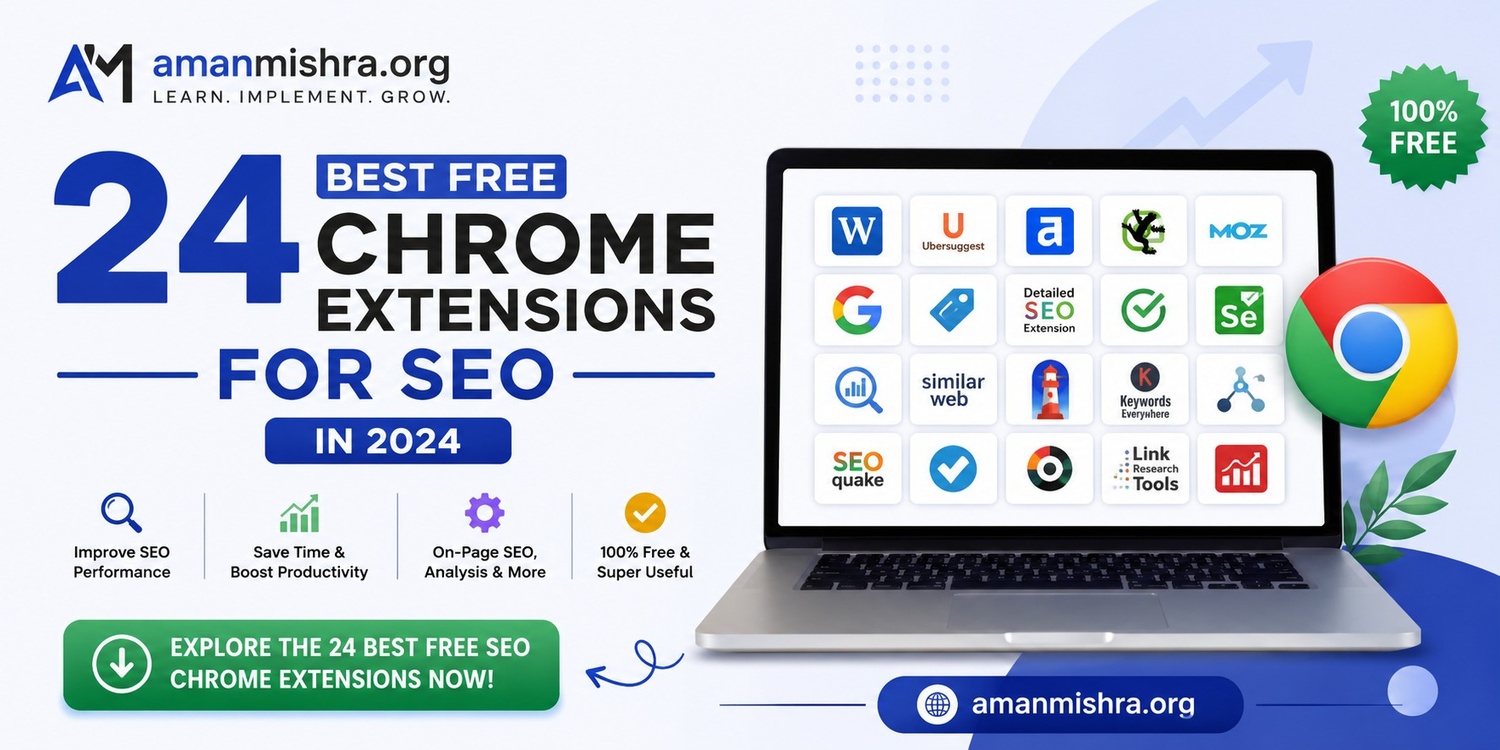
In this definitive guide, we break down all 24 best free SEO Chrome extensions organized by category, keyword research, on-page SEO, technical SEO, off-page SEO, local SEO, and competitor analysis, so you can build a complete SEO toolkit inside your browser.
Why US Businesses and Agencies Need SEO Chrome Extensions
American businesses spent over $80 billion on digital marketing in 2024, and SEO remains one of the highest-ROI channels. Whether you're targeting customers in California, Texas, Florida, or nationwide, Google dominates over 90% of US search traffic, making SEO non-negotiable.
SEO Chrome extensions bring powerful data directly into your browsing experience. Here's why US digital marketers rely on them:
• Save time - automate repetitive SEO tasks without leaving your browser
• Make smarter decisions - get accurate, real-time data instantly
• Outrank US competitors - find keyword and technical opportunities they miss
• Grow organic traffic - rank higher on Google.com with data-driven decisions
• Win more clients - present professional audits and competitor analyses
• Free and easy - no expensive software subscriptions required
Section 1: Keyword Research Chrome Extensions
Keyword research is the foundation of every successful SEO strategy, especially in competitive US markets like e-commerce, legal, healthcare, real estate, and SaaS. These four Chrome extensions bring keyword volume data, CPC metrics, and semantic keyword suggestions directly into your browser.
1. Keyword Surfer - See Keyword Volume Directly in Google Search
Keyword Surfer is a free Chrome extension by Surfer SEO that overlays keyword search volume, CPC data, and related keyword ideas directly on Google Search results pages. It's one of the most popular keyword research tools for US SEOs who want instant data without opening a separate tool.
Key features:
• See keyword volume directly in Google Search
• View global and US-specific local search volumes
• Get related keyword ideas in a sidebar panel
• Analyze estimated traffic of any ranking URL
|
US Use Case: Instantly see search volumes for queries like "best plumber in Austin TX" or "affordable divorce lawyer Chicago" without switching tabs. |
2. Keywords Everywhere - Get Keyword Ideas, Trends & CPC Data
Keywords Everywhere is one of the most widely used SEO Chrome extensions, trusted by over 1 million users worldwide, including thousands of US digital marketing agencies. It displays keyword ideas, trends, and CPC data across Google, YouTube, Amazon, Bing, and dozens of other platforms.
Key features:
• Keyword ideas, search trends, and CPC data across 15+ websites
• View related keywords and 'People Also Search For' data
• Export keyword lists for US campaign planning
Best for: US PPC managers, e-commerce SEOs targeting Amazon and Google Shopping.
3. Ubersuggest - Generate Long-Tail Keyword Lists Fast
Ubersuggest by Neil Patel helps you generate long-tail keyword lists fast. It shows domain authority, backlink counts, estimated monthly traffic, and keyword difficulty scores directly on Google SERPs and competitor websites. The free plan is ideal for individual users and small US-based teams.
Key features:
• Generate long-tail keyword lists fast
• See SEO metrics on any Google search result
• Analyze competitor domain authority
• Get content ideas based on top-performing articles
Best for: US freelancers, small business owners in competitive local markets, and content marketers.
4. TextOptimizer - Suggests Semantically Related Keywords
TextOptimizer suggests semantically related keywords and LSI terms to improve content relevance. It analyzes search intent and recommends the semantic phrases that Google's NLP engine expects - critical as Google's US search results become increasingly AI-driven.
Key features:
• Suggests semantically related keywords
• Analyzes search intent
• Provides content optimization scores
• Identifies topical gaps in your existing content
Section 2: On-Page SEO Chrome Extensions
On-page SEO extensions help you analyze and optimize individual web pages for search engines. Whether you're auditing a single blog post or an enterprise US retail site with thousands of pages, these four tools are essential.
5. SEOquake - Analyze On-Page SEO Metrics in Real Time
SEOquake is a free Chrome extension by Semrush that lets you analyze on-page SEO metrics in real time. It is trusted by millions of SEO professionals worldwide - including many of the top US digital marketing agencies.
Key features:
• Analyze on-page SEO metrics in real time
• Check Semrush organic rank and US traffic estimates
• Perform on-page SEO audits and export SERP data to CSV
• View keyword density analysis
6. Detailed SEO Extension - Get a Deep Page-Level SEO Overview
The Detailed SEO Extension organizes on-page elements - headings, meta tags, canonical tags, internal links, schema markup, and more- into a clean, readable panel. Perfect for US agencies onboarding new clients.
Key features:
• Heading structure, meta descriptions, canonical tags
• Robots meta, Open Graph data
• Internal/external link counts
7. SEO Minion - Check Broken Links, SERP Preview & More
SEO Minion simulates how your page appears in Google.com search results, highlights broken links, and provides hreflang validation, useful for US businesses targeting both English and Spanish-speaking audiences.
Key features:
• Check broken links and view SERP preview
• Validate hreflang tags
• Perform Google search location simulation (useful for checking rankings from different US cities)
8. META SEO Inspector - Quickly View Meta Tags and Schema
META SEO Inspector validates meta title length, meta description length, Open Graph tags, Twitter Card data, and JSON-LD structured data. Essential for US businesses running local business schema, product schema, or review markup.
Key features:
• Quickly view meta tags and schema
• Validate structured data (JSON-LD, Microdata, RDFa)
• Check Open Graph and Twitter Card tags
Section 3: Technical SEO Chrome Extensions
Technical SEO extensions help you identify crawl issues, redirect chains, broken links, and performance problems. In the highly competitive US market, even small technical issues can cost you significant traffic and revenue.
9. Redirect Path - Detect Redirect Chains & HTTP Status Issues
Redirect Path automatically detects redirect chains and HTTP status issues as you browse, flagging 301, 302, 404, and 500 errors. Undetected redirect chains waste crawl budget - critical for US e-commerce sites after platform migrations.
Key features:
• Detect redirect chains and HTTP status issues
• Flag 301/302 redirects, 404 errors, and server errors
• View full redirect paths
• Identify JavaScript and meta refresh redirects
10. Lighthouse - Run Performance & Accessibility Audits
Lighthouse is Google's own open-source Chrome extension for running performance and accessibility audits. Lighthouse scores are directly correlated with Google's search ranking factors - and US users are among the most demanding globally when it comes to page speed.
Key features:
• Run performance and accessibility audits
• Measure Core Web Vitals (LCP, FID, CLS)
• Check SEO best practices and mobile-friendliness
• Generate actionable improvement reports
11. User-Agent Switcher - View Pages Like Googlebot
User-Agent Switcher allows SEOs to simulate different browser and device user agents. Critical for detecting cloaking, testing mobile rendering, and verifying how Googlebot sees JavaScript-heavy pages, a common issue on US platforms like Shopify, Wix, and React-based sites.
12. Check My Links - Instantly Highlight Broken Links on a Page
Check My Links crawls all links on the current page, checks their HTTP status, and color-codes them, green for valid, red for broken (404s), and yellow for redirects. Ideal for US content teams performing regular site maintenance.
Section 4: Off-Page SEO Chrome Extensions
Off-page SEO extensions give you backlink data, domain authority metrics, and outreach management capabilities. Link building in the US requires reaching out to high-DA American publishers, blogs, and news sites - these tools make prospecting fast.
13. MozBar - Get DA, PA & Backlink Data in Your Browser
MozBar overlays Moz's Domain Authority (DA) and Page Authority (PA) scores on Google search results and any webpage. Invaluable for US link builders evaluating the authority of American news sites, industry blogs, and local directories.
14. Ahrefs SEO Toolbar - See Keyword Metrics & Backlinks
The Ahrefs SEO Toolbar brings Ahrefs' world-class backlink and keyword data into your browser. One of the most data-rich free SEO extensions available to US professionals. Shows DR, UR, organic traffic estimates, and broken outbound links.
15. Hunter - Find Emails for Outreach & Link Building
Hunter displays verified email addresses associated with any domain, along with name, job title, and confidence scores. Perfect for US link building campaigns targeting American journalists, editors, and bloggers.
16. BuzzMarker by BuzzStream - Manage Your Outreach on the Fly
BuzzMarker allows you to add websites to outreach campaigns directly from your browser, capture contact information, and track outreach history. Widely used by US digital PR agencies managing national link building campaigns.
Section 5: Local SEO Chrome Extensions
Local SEO is enormous in the United States. With over 500,000 searches per month for "near me" terms and millions of US consumers using Google Maps daily, these four extensions are your local SEO command center - whether you're helping a restaurant in Nashville, a law firm in Philadelphia, a plumber in Phoenix, or a dental practice in San Diego.
17. GMB Everywhere - Audit & Optimize Google Business Profile Listings
GMB Everywhere overlays GBP data directly on Google Search and Google Maps, showing category information, review counts, and competitor profile insights. Used by thousands of US local SEO agencies to analyze Google Business Profiles at scale.
|
US Use Case: Analyze why a competitor's pizza restaurant in Denver is outranking yours in the local pack, and identify the exact GBP categories they're using. |
18. PlePer Local SEO Tools - Access Hidden GMB Categories
PlePer gives local SEOs access to hidden GMB categories not visible through the standard GBP interface. Critical for US businesses in competitive local markets where the right primary category can make or break local pack rankings.
19. GMB Crush - Analyze & Audit Google Business Profiles
GMB Crush provides detailed competitive intelligence for Google Business Profiles — revealing competitor GBP attributes, posting frequency, review velocity, and Q&A content. Allows US local SEOs to benchmark client profiles against top-ranking competitors from New York City to small-town Texas.
20. ProfilePro - AI-Powered GMB Optimization Suggestions
ProfilePro uses AI to analyze your GBP content and generate recommendations to improve profile completeness, keyword relevance, and local pack visibility. Ideal for US agencies managing multiple local business clients across different cities and states.
Section 6: Competitor Analysis Chrome Extensions
The US market is one of the most competitive search environments in the world. Understanding what your competitors are doing - their keywords, traffic sources, on-page strategy, and backlink profile - is essential for gaining market share.
21. Serpstat - Get Competitor Keyword Insights
Serpstat shows organic keyword count, estimated traffic, paid keyword data, and domain visibility scores for any website - extremely useful for scoping out US competitors in your niche and identifying content gaps.
22. Similarweb - Check Competitor Website Performance
Similarweb shows total monthly visits, traffic sources (organic, paid, direct, social, referral), bounce rate, average session duration, and top traffic-driving keywords. Invaluable for US marketing teams reverse-engineering competitor growth strategies.
23. SerpWorx - Audit Competitor On-Page SEO
SerpWorx reveals Domain Authority, Page Authority, backlink counts, social signals, and on-page metrics for every result on a Google SERP - allowing you to quickly assess competition level for any keyword in the US market.
24. Sitechecker.pro - Analyze SEO Metrics of Any Site
Sitechecker.pro provides an instant SEO report card for any URL, including technical health scores, on-page optimization grades, backlink profile summaries, and structured data presence. One of the fastest tools for assessing SEO health during competitive research or US client prospecting calls.
Quick Comparison Table: All 24 SEO Chrome Extensions
|
Extension |
Category |
Primary Use |
Best For |
|
Keyword Surfer |
Keyword Research |
Keyword volume in Google |
US content creators |
|
Keywords Everywhere |
Keyword Research |
Keyword ideas, trends & CPC |
US PPC managers |
|
Ubersuggest |
Keyword Research |
Long-tail keyword generation |
US freelancers & SMBs |
|
TextOptimizer |
Keyword Research |
Semantic keyword suggestions |
US content writers |
|
SEOquake |
On-Page SEO |
Real-time on-page metrics |
US SEO analysts |
|
Detailed SEO Extension |
On-Page SEO |
Deep page-level overview |
US site auditors |
|
SEO Minion |
On-Page SEO |
Broken links & SERP preview |
Technical SEOs |
|
META SEO Inspector |
On-Page SEO |
Meta tags and schema viewer |
US developers |
|
Redirect Path |
Technical SEO |
Detect redirect chains |
Technical SEOs |
|
Lighthouse |
Technical SEO |
Performance & accessibility |
US developers |
|
User-Agent Switcher |
Technical SEO |
View as Googlebot |
Technical SEOs |
|
Check My Links |
Technical SEO |
Highlight broken links |
US content editors |
|
MozBar |
Off-Page SEO |
DA, PA & backlink data |
US link builders |
|
Ahrefs SEO Toolbar |
Off-Page SEO |
Keyword metrics & backlinks |
US SEO professionals |
|
Hunter |
Off-Page SEO |
Find emails for outreach |
US link builders |
|
BuzzMarker |
Off-Page SEO |
Manage outreach on the fly |
US digital PR teams |
|
GMB Everywhere |
Local SEO |
Audit & optimize GMB listings |
US local SEO agencies |
|
PlePer Local SEO Tools |
Local SEO |
Access hidden GMB categories |
US local consultants |
|
GMB Crush |
Local SEO |
Audit Google Business Profiles |
US local agencies |
|
ProfilePro |
Local SEO |
AI-powered GMB suggestions |
US agencies |
|
Serpstat |
Competitor Analysis |
Competitor keyword insights |
US SEO strategists |
|
Similarweb |
Competitor Analysis |
Competitor website performance |
US marketing teams |
|
SerpWorx |
Competitor Analysis |
Audit competitor on-page SEO |
US SEO analysts |
|
Sitechecker.pro |
Competitor Analysis |
Analyze SEO metrics of any site |
All US SEO levels |
How to Install and Use SEO Chrome Extensions
Installing Chrome SEO extensions is quick and straightforward. Follow these steps to get started:
1. Open Google Chrome on your desktop or laptop computer.
2. Navigate to the Chrome Web Store (chrome.google.com/webstore).
3. Search for the extension name (e.g., "Keyword Surfer" or "SEOquake").
4. Click "Add to Chrome" on the extension listing page.
5. Confirm by clicking "Add extension" in the popup dialog.
6. The extension icon will appear in your Chrome toolbar.
7. Pin your most-used extensions to the toolbar for quick access.
8. Configure each extension's settings for your specific needs.
|
Pro Tip: Start with these five core extensions: Keyword Surfer (keyword research), SEOquake (on-page SEO), Redirect Path (technical SEO), MozBar (off-page SEO), and GMB Everywhere (local SEO). |
SEO Chrome Extensions for US Agencies, Freelancers & Consultants
If you're an SEO professional in the United States looking to attract clients or grow your practice, these extensions do more than help you rank - they help you demonstrate value to potential clients and win new business.
For US SEO Agencies
US agencies managing 10, 50, or 100+ client accounts need fast, scalable tools. Here's how to use these extensions to impress clients and close more deals:
• Use SEOquake + Detailed SEO Extension for rapid on-site audits during prospecting calls - generate an instant report on a prospect's website while on a discovery call
• Use Similarweb + Serpstat to show prospects exactly how much traffic they're missing vs. competitors in their local US market
• Use MozBar + Ahrefs SEO Toolbar to demonstrate backlink gaps between a prospect and their top-ranking US competitors
• Use GMB Everywhere + GMB Crush to produce local SEO gap analyses for small US businesses in minutes
For US Freelancers
Freelance SEO consultants working with US small businesses can use these tools to:
• Deliver professional competitor analyses without expensive subscriptions
• Build monthly SEO reports using data from Keyword Surfer and SEOquake
• Identify quick-win opportunities (broken links, missing meta tags, redirect chains) that can be fixed fast and billed immediately
• Prospect for new US clients by analyzing businesses ranking on page 2-3 for competitive local keywords
For In-House US Marketing Teams
In-house teams at US companies benefit from these extensions because:
• They eliminate the need to log into multiple platforms for quick data checks
• They speed up content production workflows (Keyword Surfer + TextOptimizer)
• They help e-commerce teams spot technical issues before they impact revenue
• They provide real-time competitive intelligence for US market share analysis
Conclusion: Build Your Free SEO Toolkit Today
The 24 best free Chrome extensions for SEO covered in this guide give you a complete browser-based SEO toolkit. Together, these tools help you:
• Save time by automating repetitive SEO tasks
• Make smarter decisions with accurate real-time US market data
• Outrank competitors by finding opportunities they miss
• Grow your organic traffic sustainably on Google.com
• Win more US clients by presenting professional, data-backed analyses instantly
Frequently Asked Questions
1. What is the best free Chrome extension for SEO in the US?
The best free Chrome extension for SEO overall is SEOquake - it provides comprehensive on-page SEO metrics, SERP analysis, and a full SEO audit, all completely free. For keyword research targeting US audiences specifically, Keyword Surfer is the top choice. For backlink data, MozBar and Ahrefs SEO Toolbar are the leading free options used by US professionals.
2. Are these 24 Chrome SEO extensions completely free?
Yes, all 24 SEO Chrome extensions listed in this guide are available for free from the Chrome Web Store. Some tools like Keywords Everywhere and Ubersuggest offer additional paid features or credits, but their core SEO functionality is accessible without payment. Lighthouse, Redirect Path, Check My Links, User-Agent Switcher, SEO Minion, and Detailed SEO Extension are entirely free with no premium tiers.
3. Which SEO Chrome extensions are best for US local businesses?
For US local businesses, whether you're a restaurant in Nashville, a law firm in Boston, or a contractor in Phoenix - the best combination is GMB Everywhere (auditing your Google Business Profile), PlePer Local SEO Tools (finding the right GMB categories), GMB Crush (competitor analysis), and ProfilePro (AI-powered optimization suggestions).
4. How do these tools help me rank for 'near me' searches in the US?
'Near me' searches account for hundreds of millions of monthly searches in the US. To rank for them, you need an optimized Google Business Profile, strong local citations, and consistent NAP data. GMB Everywhere and PlePer help you optimize GBP categories, while MozBar and Ahrefs help you build the local backlink profile needed to rank in the local pack.
5. How many Chrome SEO extensions should a US SEO professional install?
For most US SEO professionals, installing 6-10 Chrome SEO extensions across different categories is ideal. Having one tool from each category gives you a well-rounded toolkit without overwhelming your browser. Too many extensions can slow down Chrome, so focus on extensions most relevant to your daily tasks.
6. What is the difference between MozBar and Ahrefs SEO Toolbar?
MozBar shows Moz's Domain Authority (DA) and Page Authority (PA), while Ahrefs SEO Toolbar shows Ahrefs' Domain Rating (DR) and URL Rating (UR). Both measure link authority using different data sources. Most US SEO professionals install both to cross-reference authority scores. Ahrefs is generally considered to have a larger and more frequently updated backlink index.